See your site at every screen size at once.
Viewfold is a free Chrome extension. Click its icon and the page you're on opens as phone, tablet and laptop screens, side by side in the same tab. Scroll one and the rest follow.
The Chrome Web Store version is on its way. Until then you can install it by hand. It takes about a minute.
- Free, no paid plan
- No account
- No tracking
- Works on localhost
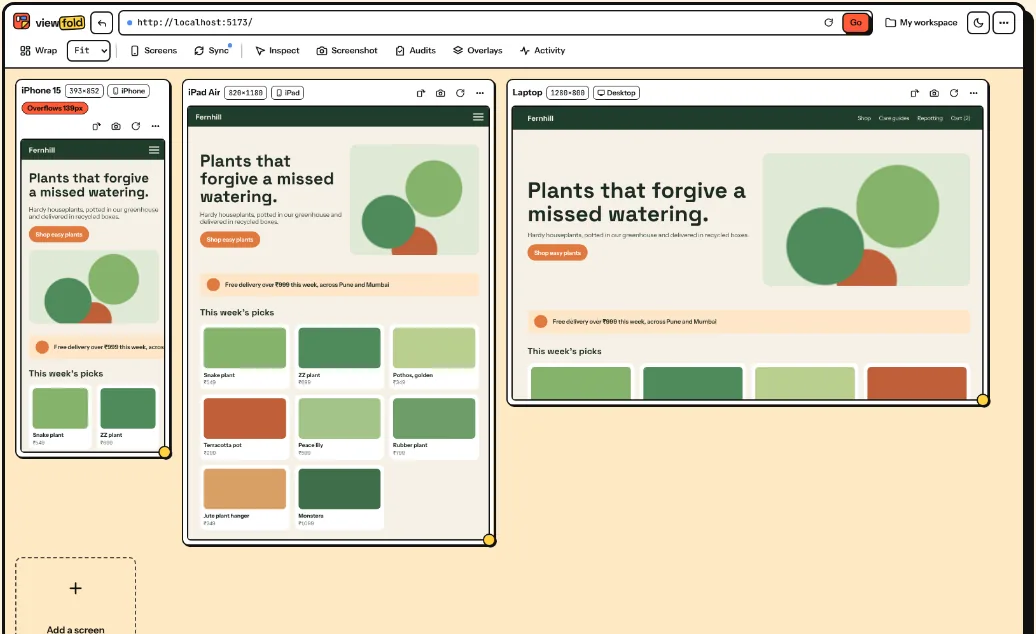
Check the layout, find the bug, fix it, all in one tab
I got tired of dragging the browser window around and paying monthly for the tools that make this easier. So everything here is free, with no screen limit.
Screens that move together
Scroll in one screen and the others follow. Clicks, typing in form fields, form submits and page changes are mirrored too. Unlink any screen you want to drive on its own.
Pick from 36 devices, from watches to big monitors, or drag a screen's corner to any size. Lay them out in a wrap, a row, a column, one at a time, or two side by side. Add a layout grid or lay your design image over a screen to compare.
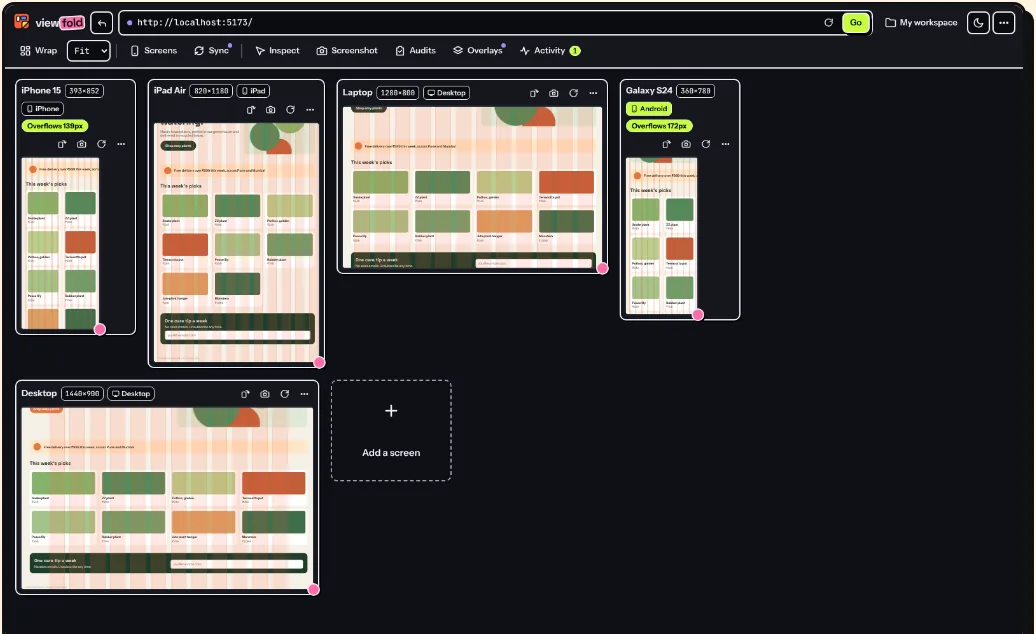
Inspect anything, edit CSS live
Hover any element to see its margin, border, padding and size. Click it to see the font, colors and whether the text passes WCAG AA and AAA. Force :hover, :focus or :active to check those styles.
Change CSS or text on one screen or all of them, swap an image, or isolate one element. Every edit lands in Activity, where you can undo it or copy them all as a prompt for an AI coding tool.
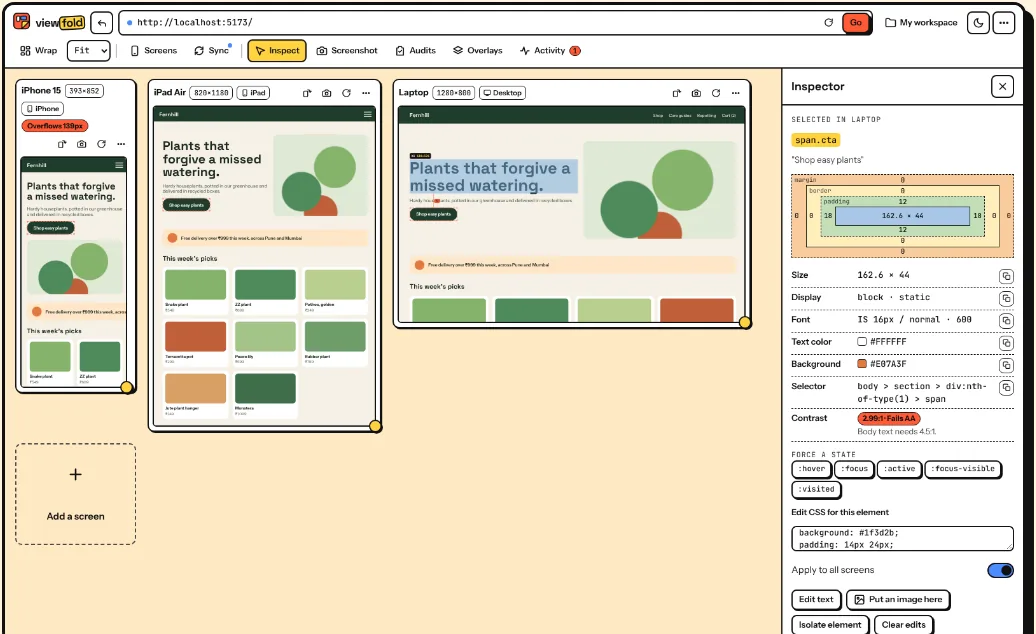
SEO and accessibility checks built in
The Audits panel runs the open source axe-core rules, shows the heading outline, keyboard tab order and landmarks, and says how to fix each issue.
The SEO tab checks the title, description, headings, canonical, Open Graph and X cards, alt text, robots.txt and sitemap, and shows a share preview. There are tabs for security headers, the tech stack and assets too.
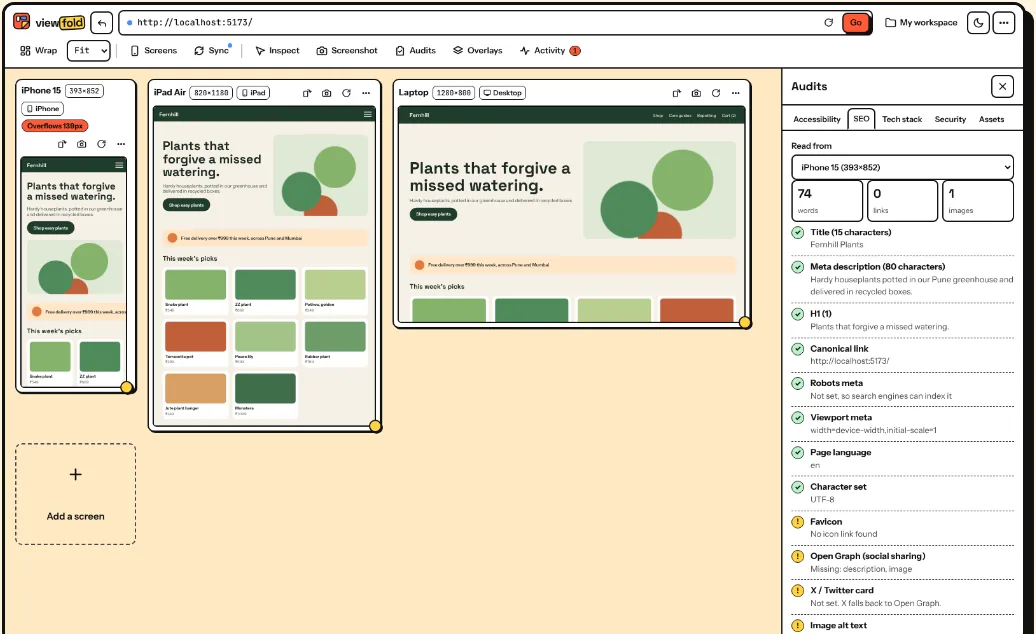
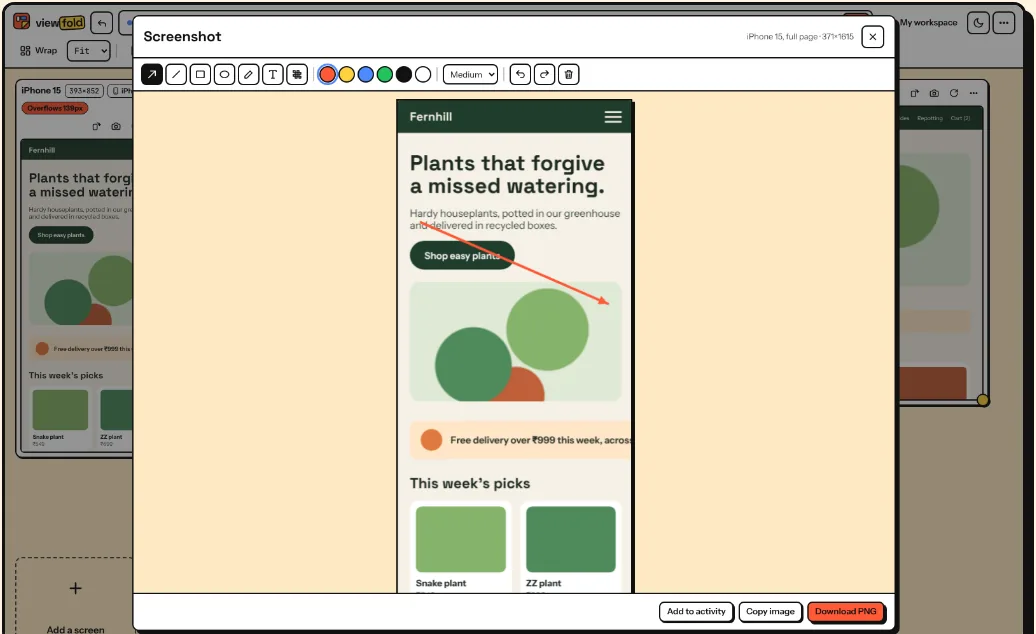
Full-page screenshots, with markup
Capture one screen, a full page scrolled and stitched, every screen side by side, a single element, or an area you drag.
Then mark it up with arrows, boxes, text and blur, and download or copy it.
Phone mode
Each screen can tell the page it's on an iPhone, iPad, Android phone or tablet, or a desktop, with touch support. Add your own user agents in Settings.
Sites that refuse frames
Many sites block being shown in a frame. Inside the Viewfold tab only, Viewfold removes those headers so the page loads. Your other tabs are never touched.
Your setups stay put
Every change saves on its own into named workspaces. Export them as JSON, import them back. A backup is made every time Viewfold updates.
Get it running
- Download the zip and unzip it.
- Open
chrome://extensionsin Chrome. - Turn on Developer mode in the top right.
- Click Load unpacked and pick the unzipped folder (the one with
manifest.jsonin it). - Pin Viewfold from the puzzle piece icon in the toolbar.
Then use it
- Open the page you want to check. Your local dev server is fine.
- Click the Viewfold icon, or press Alt + Shift + V. The page opens in Viewfold in the same tab. The back arrow at the top left takes you back.
- You can also right-click a page or a link and pick Open in Viewfold.
Needs Chrome 116 or newer. Should also work in Edge, Brave and Arc, but I test in Chrome.
Before you ask
Is it really free?
Yes. No account, no paid plan, no screen limit, no ads.
Does it send my data anywhere?
No. Viewfold has no servers. Your workspaces are stored in Chrome on your computer. It only contacts a site when you ask: the audits read the page you're viewing, its robots.txt and sitemap, and links you choose to check. The privacy policy has the details.
Why does it ask for access to all sites?
You can open any address in Viewfold, including localhost and your local network, so it can't know the sites ahead of time. It only uses that access for the page you open in Viewfold. Its scripts check where they're running and do nothing on normal pages.
How is it different from Pixefy?
They do a similar job. As of November 2026, Pixefy's free plan stops at 6 screens and puts custom sizes, accessibility checks, contrast checks and user agent testing in its paid plan. Viewfold has all of those for free.
Is anything missing?
Sending issues to Linear or Trello, and team sharing. Both need accounts and a server, and Viewfold has neither.
Does phone mode fool the server too?
No. Phone mode works in the page's JavaScript. A server that checks the user agent header still sees a desktop browser.
Can I view local files?
Yes. In chrome://extensions, open Viewfold's Details and turn on Allow access to file URLs.
Something else? See support.